Welcome to EPSS. This covers internet, email, printing, computer labs, and software for new department members.
On this page
Internet access
To get connected, you can use either a hardwired Ethernet connection or WiFi. Offices in the building have Ethernet ports that look like this:
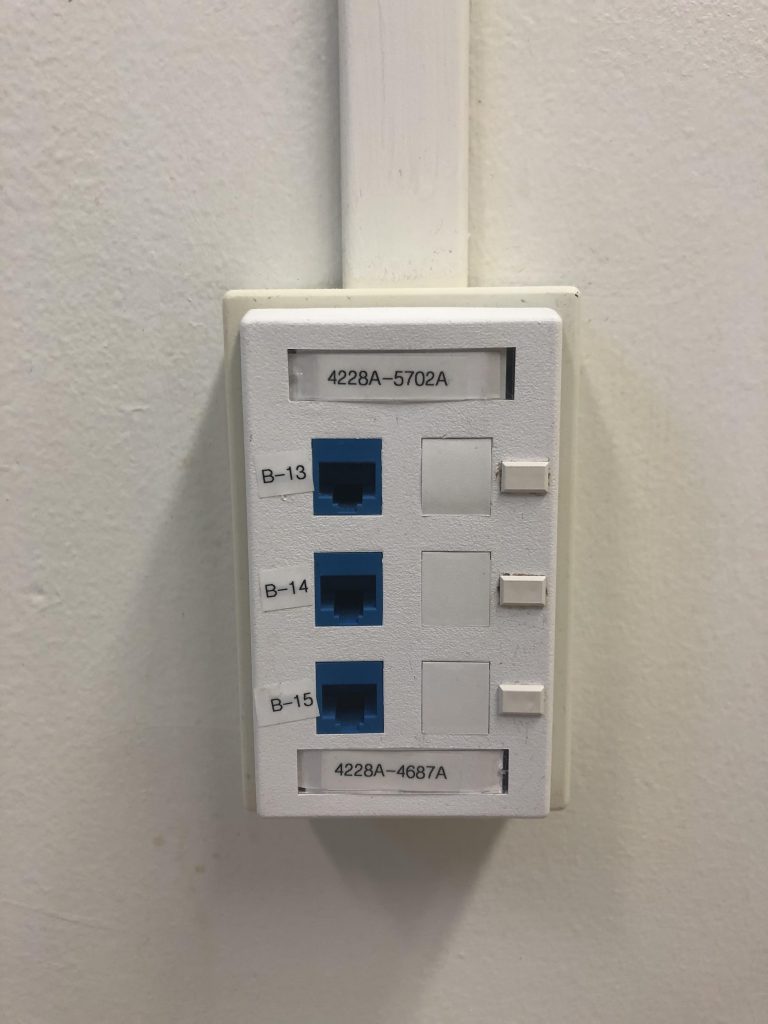
The easiest way to get connected is to email a photo of your wall jack to help@epss.ucla.edu and tell us which port you will be using. We can then remotely configure the port. You can also email us without a photo, and we can schedule a time to examine your office and help you get connected.
WiFi
UCLA and EPSS have many different WiFi networks, and your lab or research group may also have its own. For official department business, we recommend Eduroam. For many tasks — such as printing to department printers — this is the only wireless network that is supported.
You may already have a UCLA email through Google Apps. If you have not yet, please contact Bruin OnLine (opens in a new tab) for help setting one up.
Some EPSS members are eligible for departmental email addresses (username@epss.ucla.edu). In general, these accounts are for faculty, staff, and research appointments — not students. For more information, see the email page under Resources.
Printing
The department offers free (within reason!) printing to all members. You can read about setting up the connection yourself or email us for help. You will need a printer code to use these devices — email help@epss.ucla.edu to request one.
TAs will also be given a separate code to use for class-related materials.
Computer labs
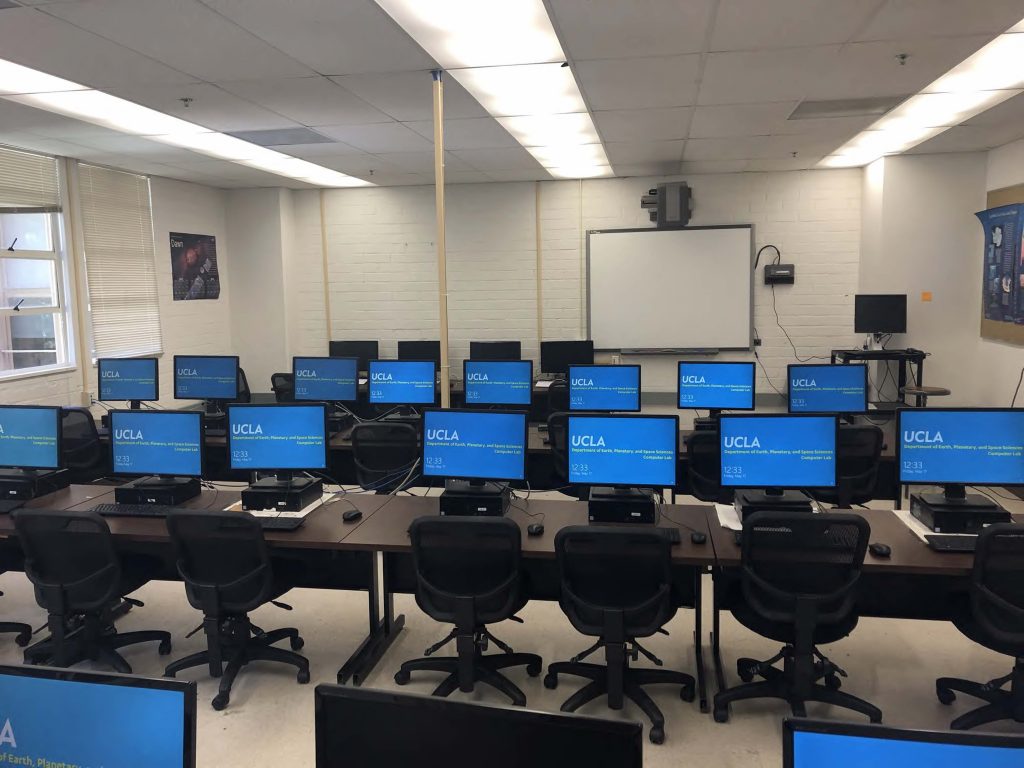
EPSS has two student computer labs — one in Geology 4691 and one in Geology B707. Any student is welcome to use the labs, which have a combination lock. If you have a class scheduled in the labs, ask your TA or professor for the access code, which changes quarterly. The code can be obtained from the helpdesk if you have forgotten it.
Software
EPSS licenses software for use in department computer labs, including:
- MATLAB
- ArcGIS Advanced
- Microsoft Office Pro Plus
- Adobe Creative Cloud (including Acrobat Pro)
- and more
Students are covered for Windows 10, Office Pro Plus, and Adobe Acrobat Pro. Email the helpdesk if you need to install any of these — they are available at no cost to students in the department. We can install them on your personal devices as well. When in doubt, ask us!